
Top Answer
A game show for your TikTok LIVE.
Top Answer is a team buzzer game show built for TikTok LIVE. Your viewers join on their phones, buzz in, and play on your screen while you host. Get your own room, with your own room code, host page and LIVE screen.
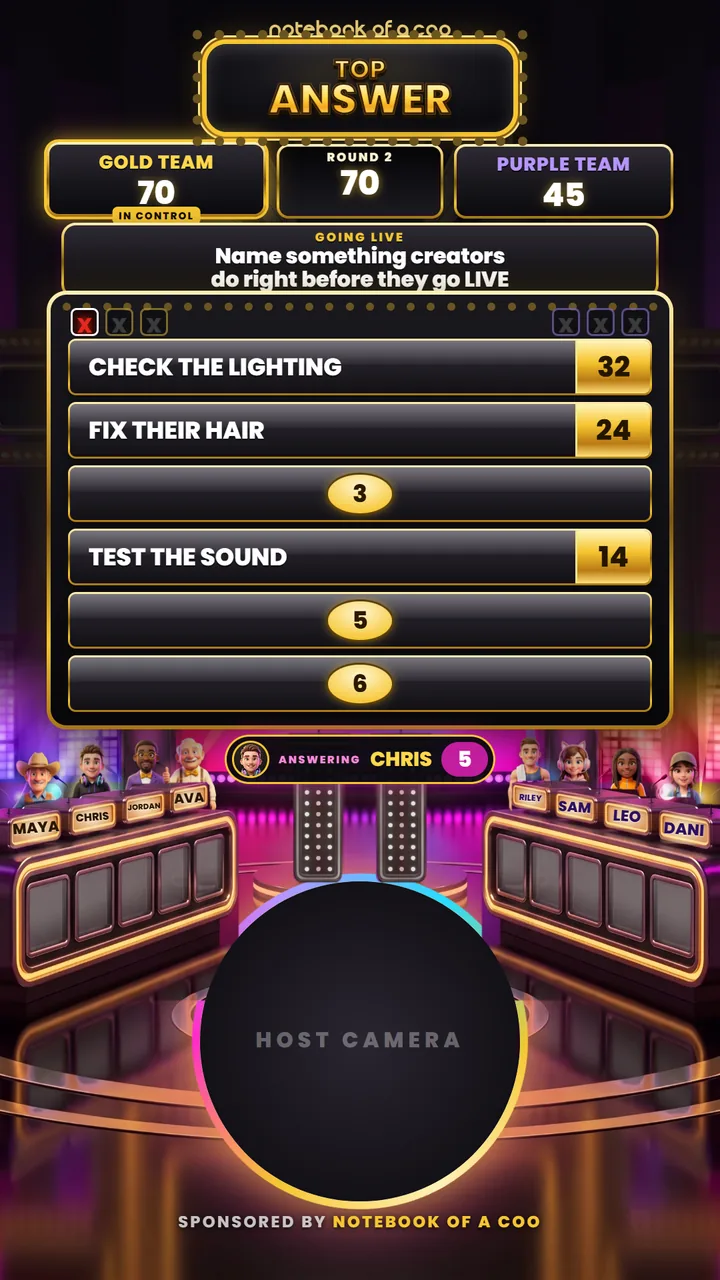
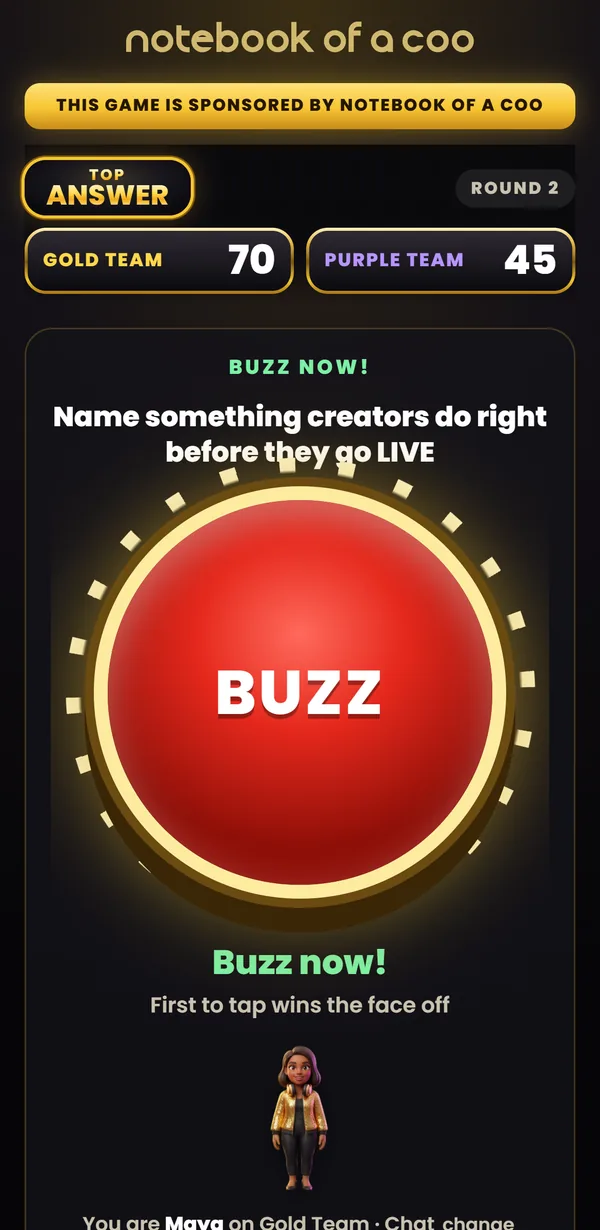
Phones buzz in. Teams play. You run the board.
Join the waitlistCheckout opens when rooms are ready. The waitlist hears first.
How a game runs.
- 1
Open sign up.
Pick the game and how long sign up stays open. Your LIVE screen shows your room code.
- 2
Viewers join on their phones.
They open the game page, type your room code and a first name, and pick a team. No app and no account.
- 3
Run the board.
Face offs, buzzers, three strikes and a final round, all from your host page, with your camera on screen the whole time.
What your room gives you.
Your own room code.
Your game runs in its own room, apart from everyone else's.
A host page.
Open sign up, reveal answers, mark strikes and run the final round from one page.
A LIVE screen.
Add it to TikTok LIVE Studio as a Link source and put your camera under it. The board, the teams and the clock sit around you.
Phone buzzers for your viewers.
In a face off, the first player to buzz in answers first.
Every game in the Game Center.
One room includes Top Answer, Sketch Off, Imposter, Derby Kart, Last Card, Mimic, Imposter Manor, Bluff Off and Paddle Panic.
The price, plainly.
Your own game room, billed each month.
The same room, with two months free.
Checkout is not open yet. Join the waitlist and you hear first when rooms open. Influencer University stays free inside the Small Business MBA.
Get your own game room.
Join the waitlist. When rooms open, you hear first.
Already a member? Open the Library, then Influencer University.
Want a game built just for you?
A different game, your brand on the board, or a show built around what you sell. Our team builds custom games, quoted on a free Build Call.
Learn to host it, free.
Influencer University is free inside the Small Business MBA: how to run a game show on TikTok LIVE, how to grow on LIVE, how to post, and the business side of being a creator.
Questions
Do my viewers need an account?
No. They open the game page on their phone, type your room code and a first name, and pick a team. No app and no account.
Does it read my LIVE chat or use gifts?
No. Nothing connects to your TikTok account. Viewers buzz in on our game page, players answer in your LIVE chat, and you run the board from your host page.
What do I need to run it?
A TikTok account that can go LIVE, TikTok LIVE Studio on your computer, and a camera. TikTok decides who can go LIVE.
Is it connected to a TV show?
No. Top Answer is our own game, built by our team.
Can I try it before rooms open?
Yes, when we run it on our own TikTok LIVE: open notebookofacoo.com/play on your phone and type the room code on the screen.
When do rooms open?
When they are built and tested. Everyone on the waitlist hears first, at the email address they give us.
Can you build a different game for me?
Yes. Custom games are quoted on a free Build Call with our team.
Who makes it
Built by the Notebook of a COO team, the people behind the free Small Business MBA and Influencer University.